How to log in to Binarium
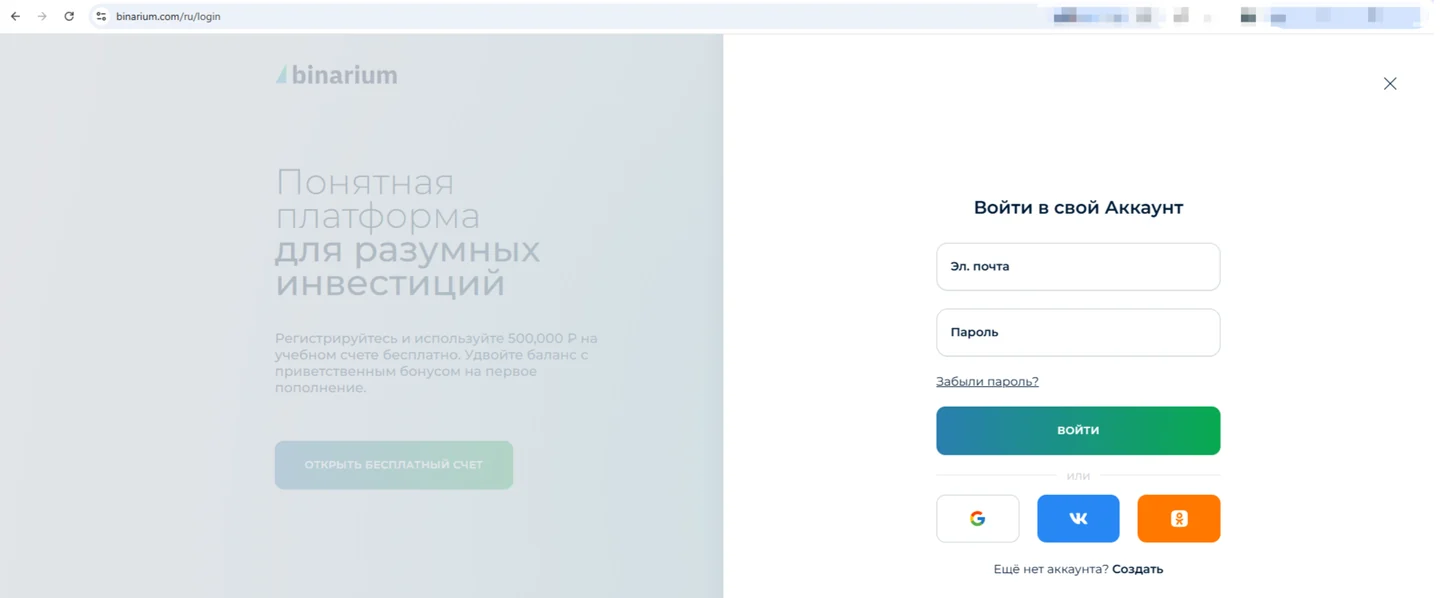
Open the operator's account screen and use the email and password associated with your existing profile.
- Check that the destination belongs to the operator and review any country-access restrictions.
- Enter the registered email address; pay attention to spelling and any saved autofill entry.
- Enter the password and follow any additional prompt shown by the current interface.
- Once inside, confirm whether the active balance is Demo or Real before using the terminal.
The old interface screenshot shows two credential fields and a forgotten-password action. We show the real archived screen for identification, but today's button labels or sign-in methods may differ. We never collect a Binarium password on this site, and we do not operate a mirror login.
Registering with Binarium: fields worth checking
Registration and login are related, but not the same task. Create an account only if you do not already have one.
Use an email address you can access. Create a unique password; the operator may use email confirmation to activate the account.
Review the currency selection in the registration form. It can affect the displayed balance and account calculations.
Read the Client Agreement, check the age minimum of 18 and ensure your country is eligible before proceeding.
Binarium's official FAQ says registration is free. It also says that a user may hold only one active account; do not use a new registration to evade a forgotten password or an account restriction. Identity and payment checks may still become relevant later when using real funds, despite the simple initial registration screen.
If you registered but cannot see the trading terminal, check the inbox for a confirmation email and inspect the operator's current instructions. A completed web form and successful account verification are different events.
Recover access without opening another account
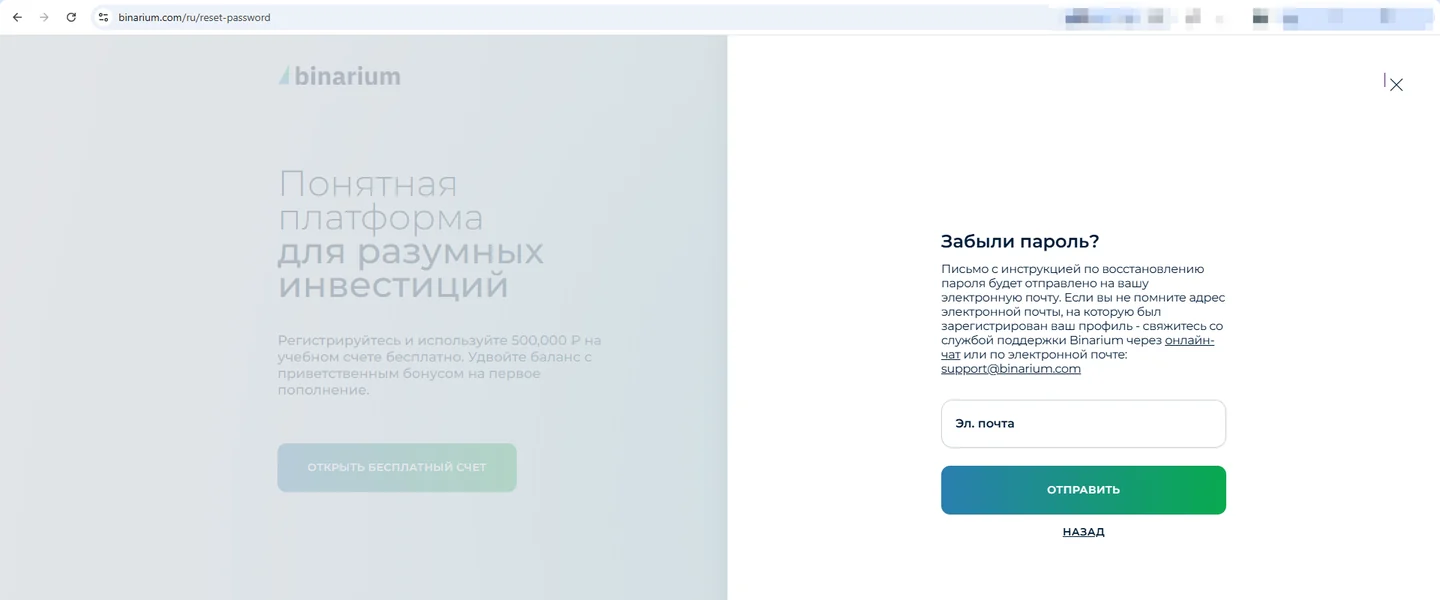
Use the “Forgot password?” option provided in the operator's login interface, enter the email linked to the profile and follow the current recovery instructions. Look in spam or promotions folders if the message does not appear. Do not assume a reset link is valid indefinitely; follow the expiry shown in the actual email.
If you no longer control the registered email address, contact the platform's support channel through the operator's own interface. Binarium-com.info cannot reset a password, view account records or modify access permissions.
Never send login codes, passwords or identity documents to a mirror, a public comment section or an email claiming to be our trading-support team. Our contact email is for editorial corrections only.
Binarium login not working? Start with the simplest checks
Check spelling, keyboard language, autofill and whether the address matches the original registration. Try the operator's reset flow instead of repeatedly submitting guessed credentials.
Search the inbox and spam folder. Verify that you used the correct email address and follow the instructions on the current registration page.
Do not enter credentials merely because the page resembles Binarium. Verify the destination and the operator's ownership of that address. We do not recommend unconfirmed mirrors.
Eligibility can depend on the operator's prohibited-jurisdiction terms and local regulation. A mirror or VPN does not resolve a legal restriction.
Confirm the active Demo/Real mode. If the issue is account-specific, seek help through the operator; our site has no access to account data.
Login from a phone or desktop computer
Binarium describes access through a browser and mobile app. The form may look different on a phone; some options can be hidden in menus or move below the fold. Verify your destination and do not install third-party “Binarium account” utilities. The archived screenshots in this page are desktop examples, not fabricated mobile captures.
Once signed in, consider opening the demo mode before using a funded account. This lets you locate the account selector, asset list, chart and history without placing a real-money trade.
Do not submit credentials on binarium-com.info or an unverified mirror.
Binarium login and sign-up questions
Is Binarium registration free?
Yes, the official FAQ describes account registration as free. Deposits are a separate decision.
Do I need to deposit before accessing a demo account?
No. Binarium describes the demo balance as available after free registration.
Can I create another account if I forgot my password?
The official FAQ says only one active account is allowed. Use password recovery or operator support instead.
Where do I enter my Binarium email and password?
Only into the operator's current login interface, never a form on this independent site.
Is every working Binarium mirror official?
No. A working address does not establish ownership, safety or service eligibility. We do not publish unverified mirrors.
What if I forgot the email address as well?
Use the operator's support process. This site cannot retrieve or reveal account information.
Does signing in automatically use real money?
No; the terminal can include Demo and Real modes. Always verify which account is active before submitting a trade.