Inside the Binarium trading terminal
A useful platform page should show the interface, not just describe it as “easy to use.”
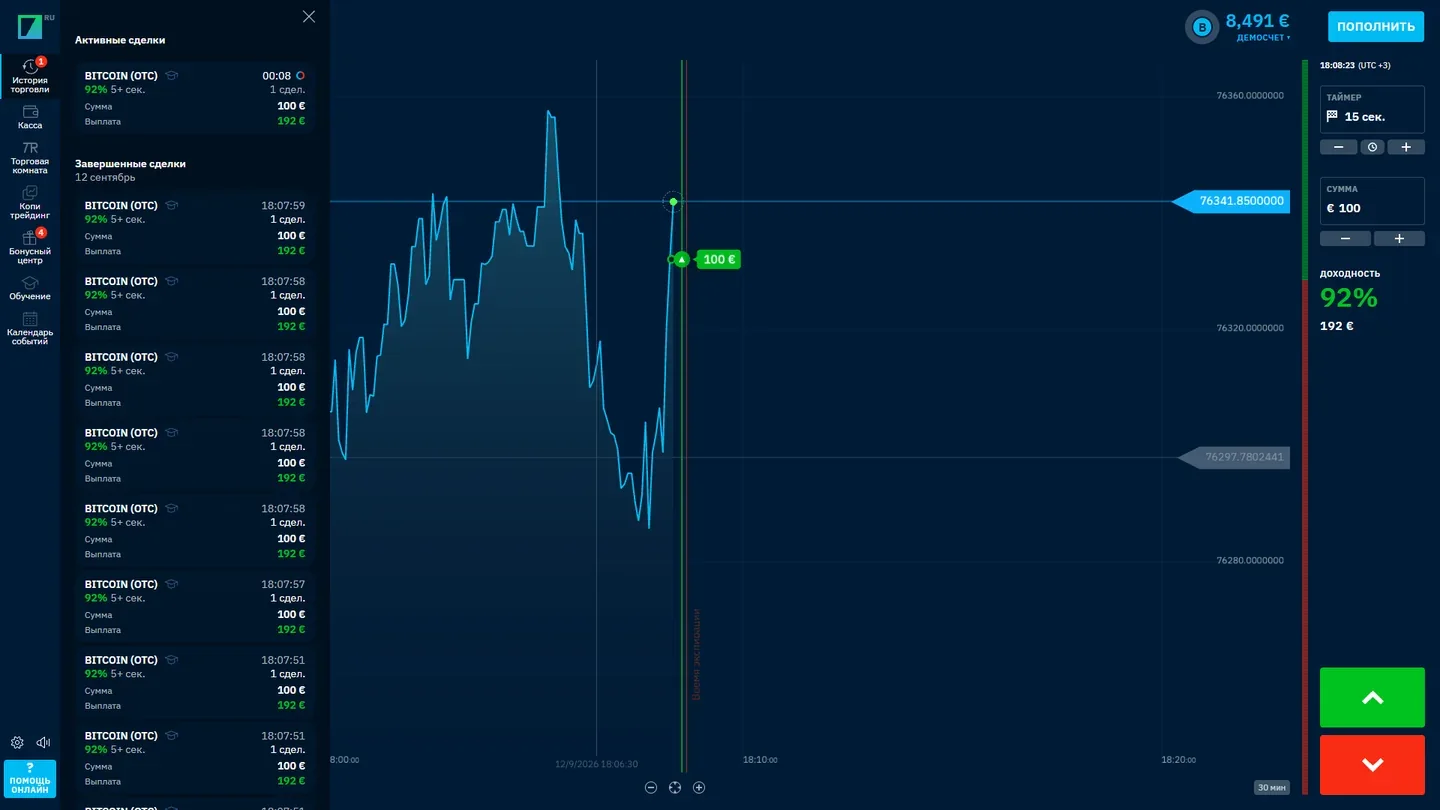
Binarium's terminal combines an asset selector, a price chart, an entry amount, an expiration setting and a history of operations. The controls may be visible together on desktop; a phone screen rearranges them. The actual trade outcome depends on the asset's price when the option expires. An advertised potential return beside a trade is not an account yield or a promise.
Our archived screenshot shows these functions on a historical trading screen. The chosen asset, account figures and quoted payout reflect that recording only. If you need current figures, inspect the live operator interface after signing in.
Compare the asset name with the chart, check the selected expiration time, then find where the history records a finished trade. Those three checks explain the terminal more clearly than a list of generic product benefits.
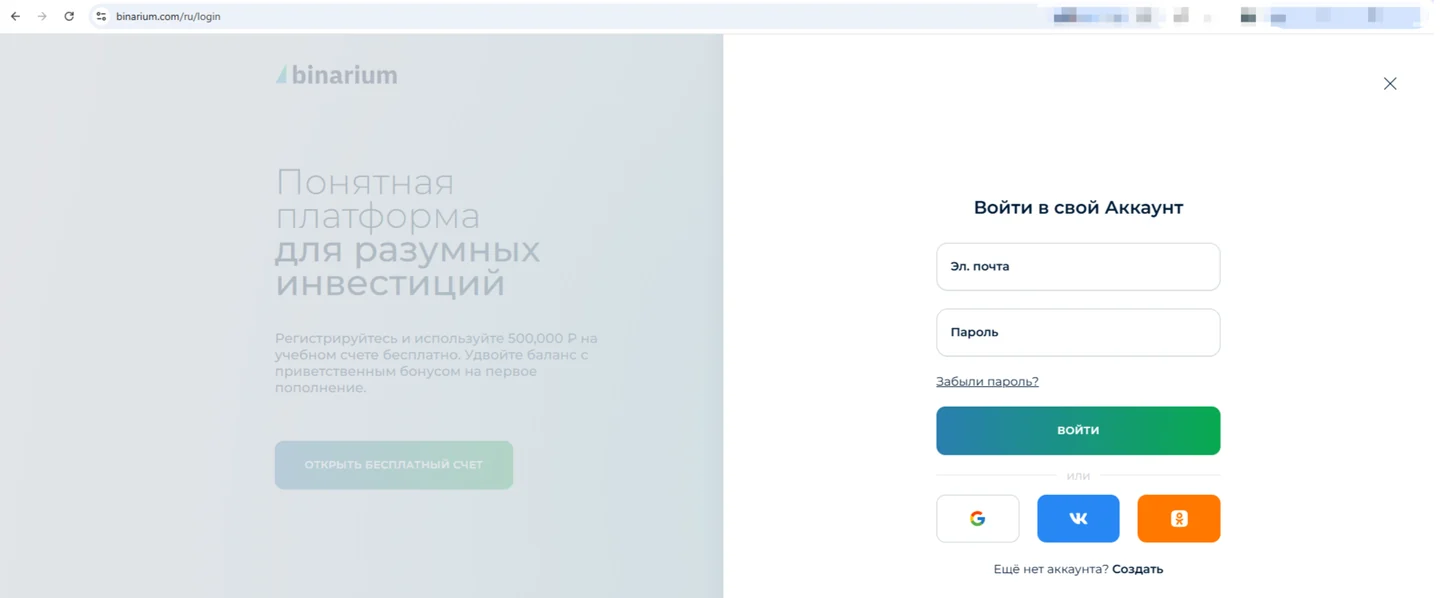
Sign up, log in or recover an account
Registering with Binarium involves providing an email address, creating a password, selecting an account currency and accepting the operator's terms. The official FAQ instructs users to confirm their email through a link sent after registration. An existing user should sign in instead of creating a second account.
We combine the account tasks on Binarium login and registration: what the form asks for, how to recognize the password-reset route and what to do when access fails. No credentials are collected by binarium-com.info.
Before using any login page, check the domain. The operator's public website is binarium.com; this is a separate, affiliate-supported website. We do not list unverified mirror domains as official routes.
Login & registration guide →Binarium demo account: virtual practice, not withdrawable cash
The demo mode is intended for learning the controls before dealing with real money.
The official English FAQ states a $10,000 virtual balance for a USD demo account after registration. Displayed amounts can differ with the account currency and locale. The balance is virtual: neither the initial amount nor any simulated gain can be withdrawn.
In the demo terminal, choose an asset, review the amount and expiration, and watch how the operation appears in the history. Learn to recognize the active Demo/Real mode before opening a trade. A successful series in practice does not establish a reliable real-money outcome.
Our separate Binarium demo account guide explains the reset threshold, the practice workflow and the difference between simulated and funded trading.
A practical 5-point check
- Can you tell which balance is selected?
- Where is the asset changed?
- Which controls set amount and expiration?
- How does a finished operation appear in history?
- Can you find the Demo/Real switch without depositing?
One account, different screen layouts
A larger screen can display chart, trade parameters and history side by side. Use the real archive above as a layout reference, not a current quote.
Menus and controls compress or relocate on narrow screens. Verify the active account and exact destination domain before signing in.
Binarium has a mobile-app listing. Do not install random APKs or assume third-party download pages are official.
Binarium official site versus an independent access page
Users searching for the “Binarium official site” want the operator's interface, not a fake login form. The public operator domain is binarium.com. Binarium-com.info is independent: we explain the journey and may receive affiliate compensation when an eligible visitor follows a partner link. We do not operate accounts, process deposits, verify identities or provide Binarium customer support.
Before entering credentials, examine the final destination, read current terms and confirm that services are permitted for your jurisdiction. An available website or mirror is not proof that an account can legally be opened from a particular country. Only adults meeting the operator's conditions should proceed.
Check the final destination and current account conditions before you enter any personal details.
Binarium platform FAQ
Is binarium-com.info the Binarium official website?
No. The operator's public domain is binarium.com. This is an independent, affiliate-supported information website.
Can I open the demo account without a deposit?
Yes. Binarium describes demo practice after free registration; a real-money deposit is not required for the virtual mode.
Where should an existing user log in?
Through the operator's own login interface, not an embedded form here. See our account guide.
What does the $10,000 demo balance mean?
It is a virtual USD practice balance described in the English FAQ, not cash, a withdrawable bonus or a guaranteed figure for every account currency.
Can I use Binarium on a phone?
The official FAQ describes browser access and a mobile app. Interface placement differs between devices.
Do old screenshots show today's payout rates?
No. Historical screenshots demonstrate controls and navigation only. Current trade conditions must be checked on the platform.